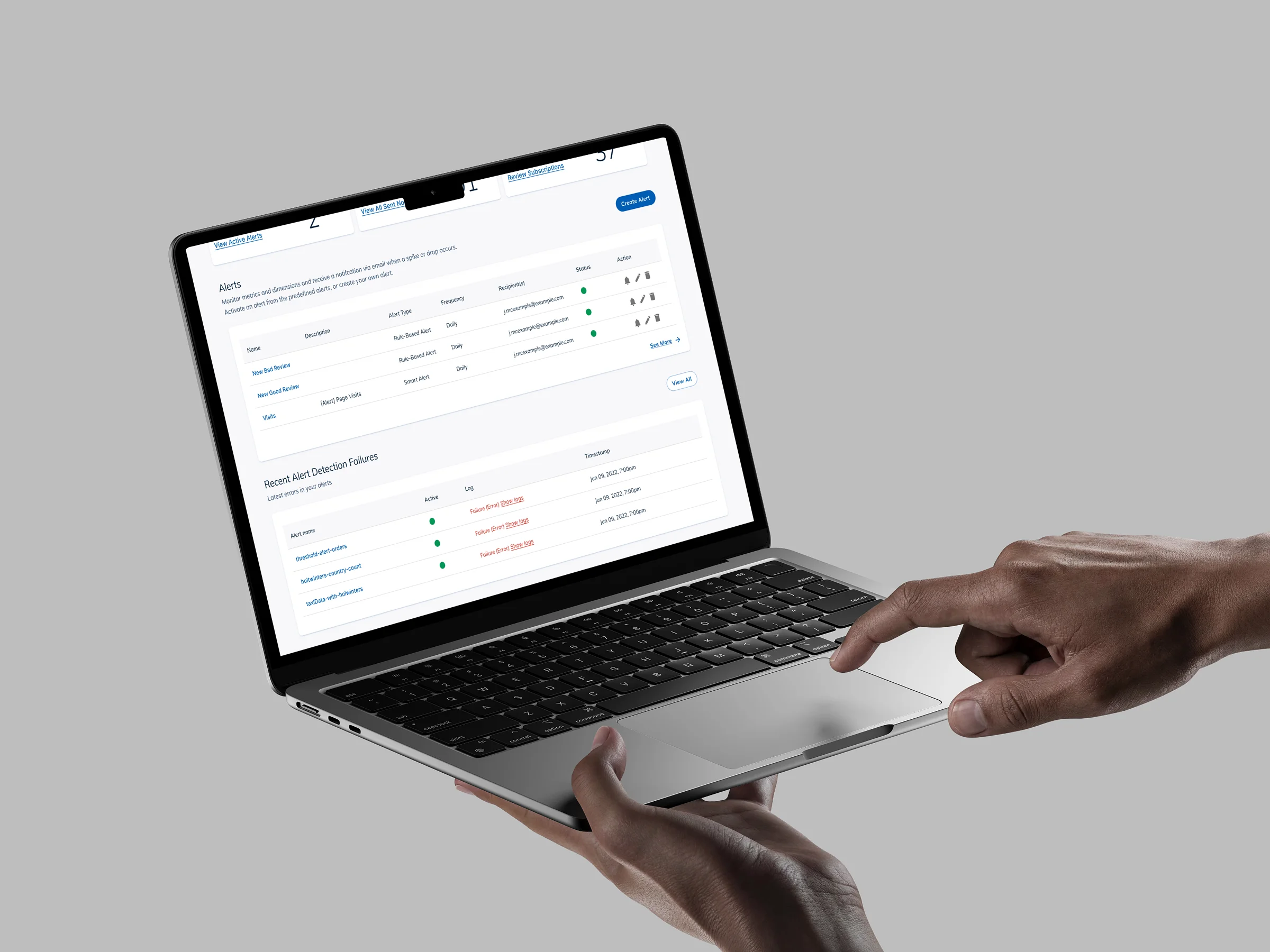
Smart Trigger
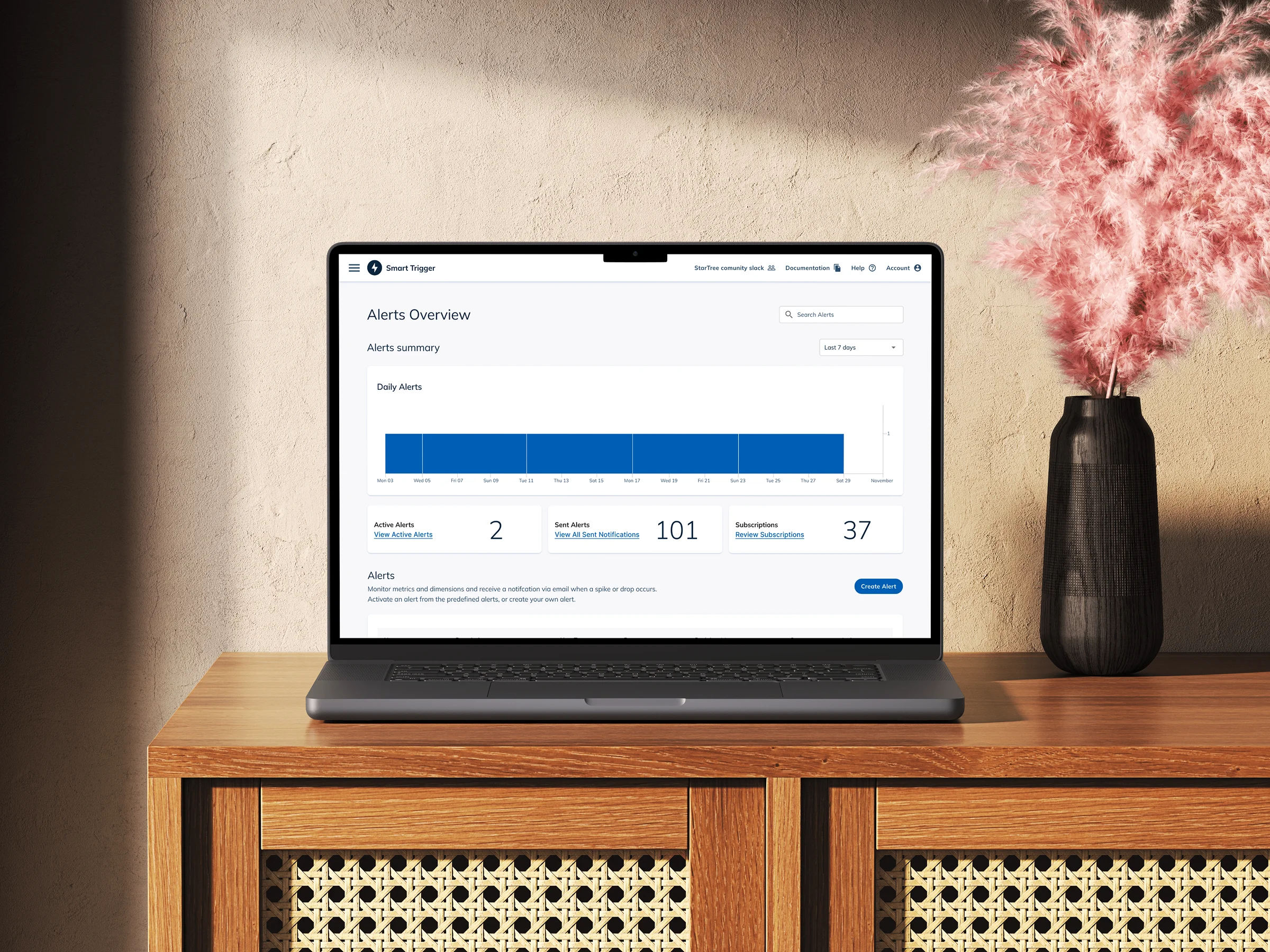
Alerts for people who don't write queries
StarTree sells Apache Pinot as a service, with tools for analyzing data and getting insights from it. Through CodeLab at UC Davis, a student-run design and development agency that places teams on real client engagements, ours was given six weeks to design and build Smart Trigger: a way for StarTree's customers to monitor large-scale databases and get notified the moment something changed, without writing a query to do it.
The brief arrived detailed. StarTree had defined the personas, listed more than twenty triggers they wanted supported, named the notification channels, and sent reference screens from their own product. Our job was the interface, built inside their design system, for a product whose shape had already been decided.
Four flows and a dashboard, delivered and handed off at week six.
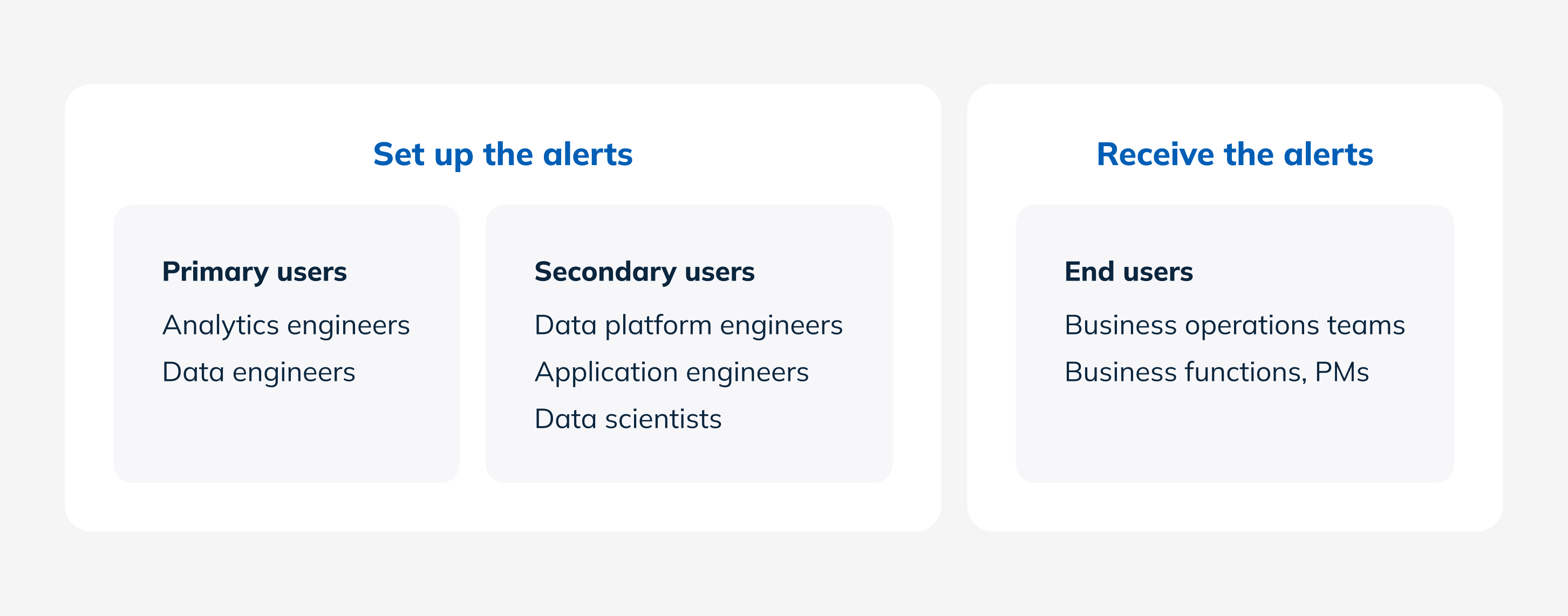
What was handed to us
StarTree arrived with most of the product already decided, which is the fact that shaped everything after it. They defined the personas, listed more than twenty triggers, named the notification channels, specified the two alert types, and sent reference screens to design toward. Every screen had to come from their existing design system, with its fixed hierarchy and no new visual language.
The two alert types carried the whole audience problem. Smart Alerts, where the system analyzed the tables and suggested alerts, for people who don't write queries. Rule-based alerts, where the user writes the condition, for people who do.
Our access was one person at StarTree, over Zoom. No end users, and no visibility into the research behind the brief.
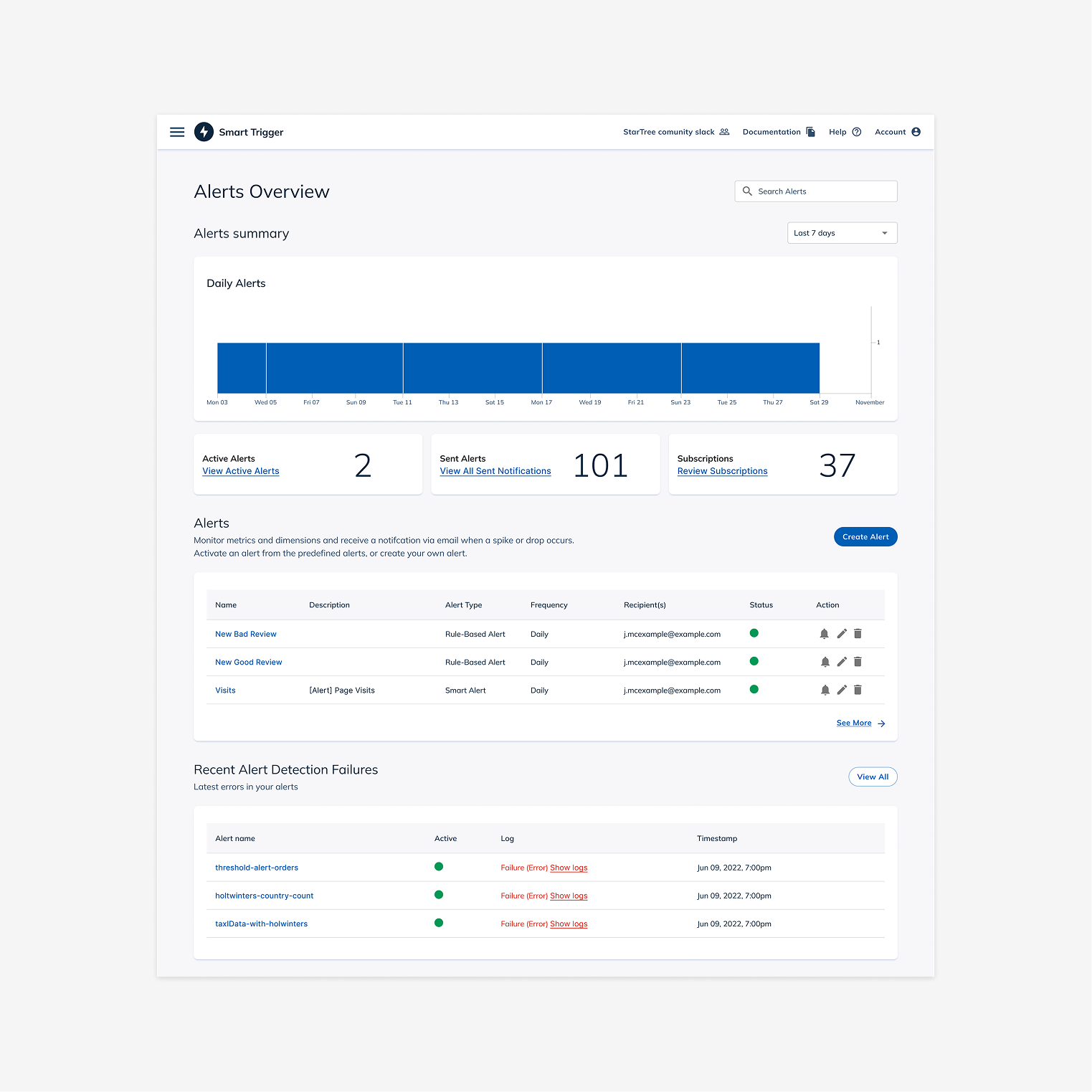
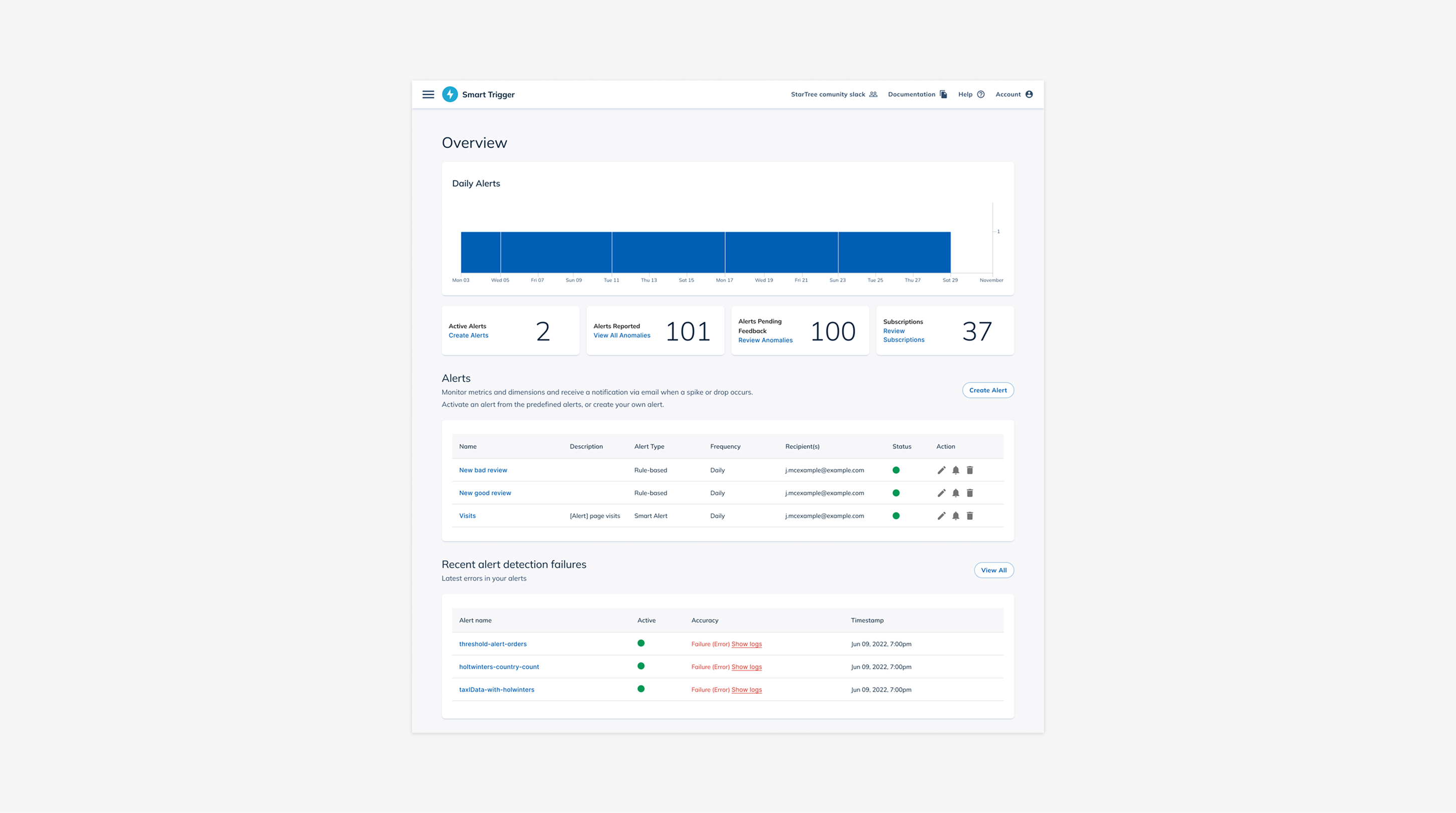
Clear actions, uncluttered dashboard
The design work sat in what was left: how the four flows fit together, what the interface said, and what a non-technical person could find without help. Signing in, creating an alert, editing one, viewing all of them.
Two problems took the most iteration. Keeping the calls to action unmistakable, and keeping the dashboard from becoming convoluted while it carried a chart of triggered alerts, summary cards, a table of every alert, and a log of recent detection failures. Both trace back to the themes the team set in a How Might We session at the start: no jargon, obvious actions.
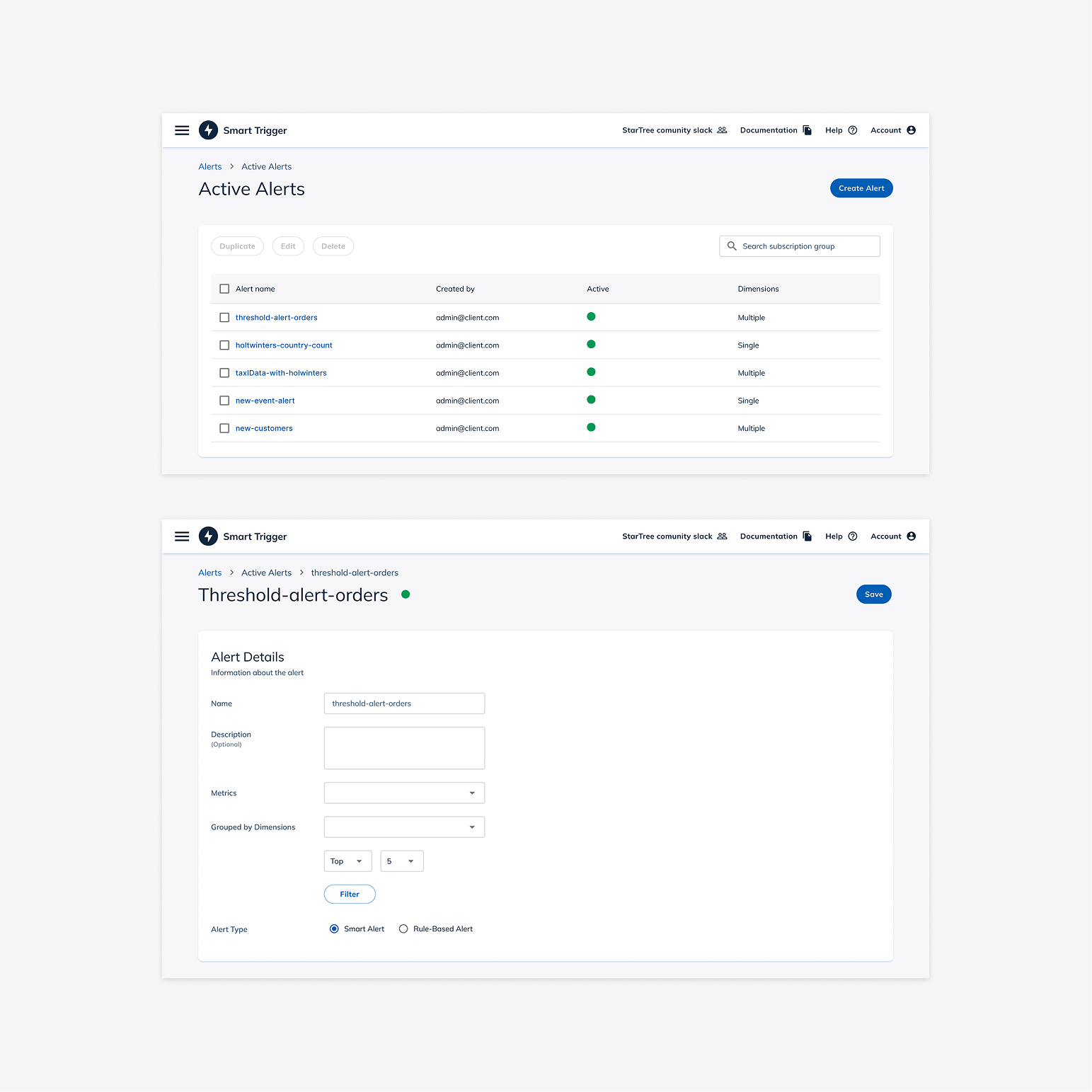
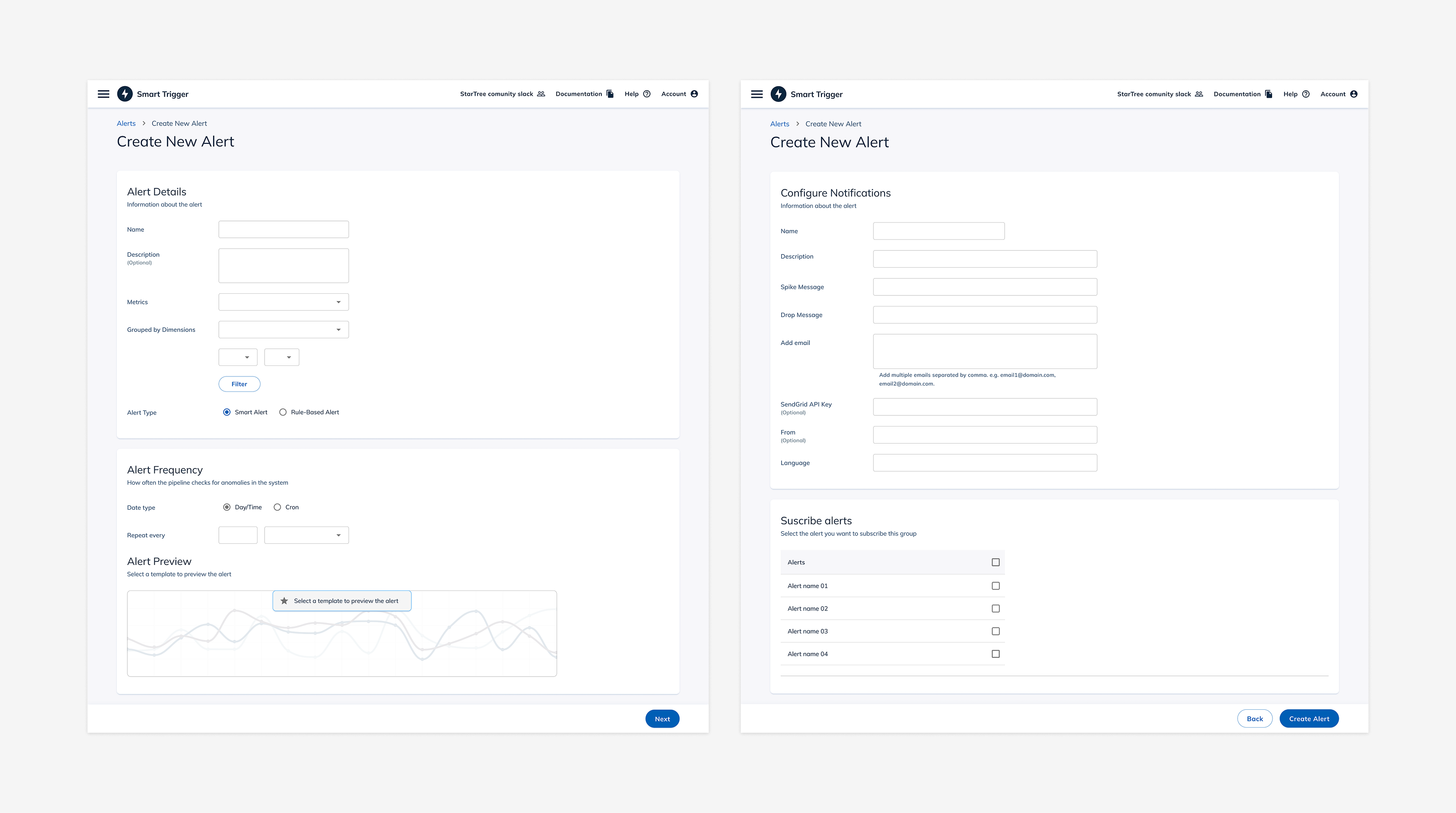
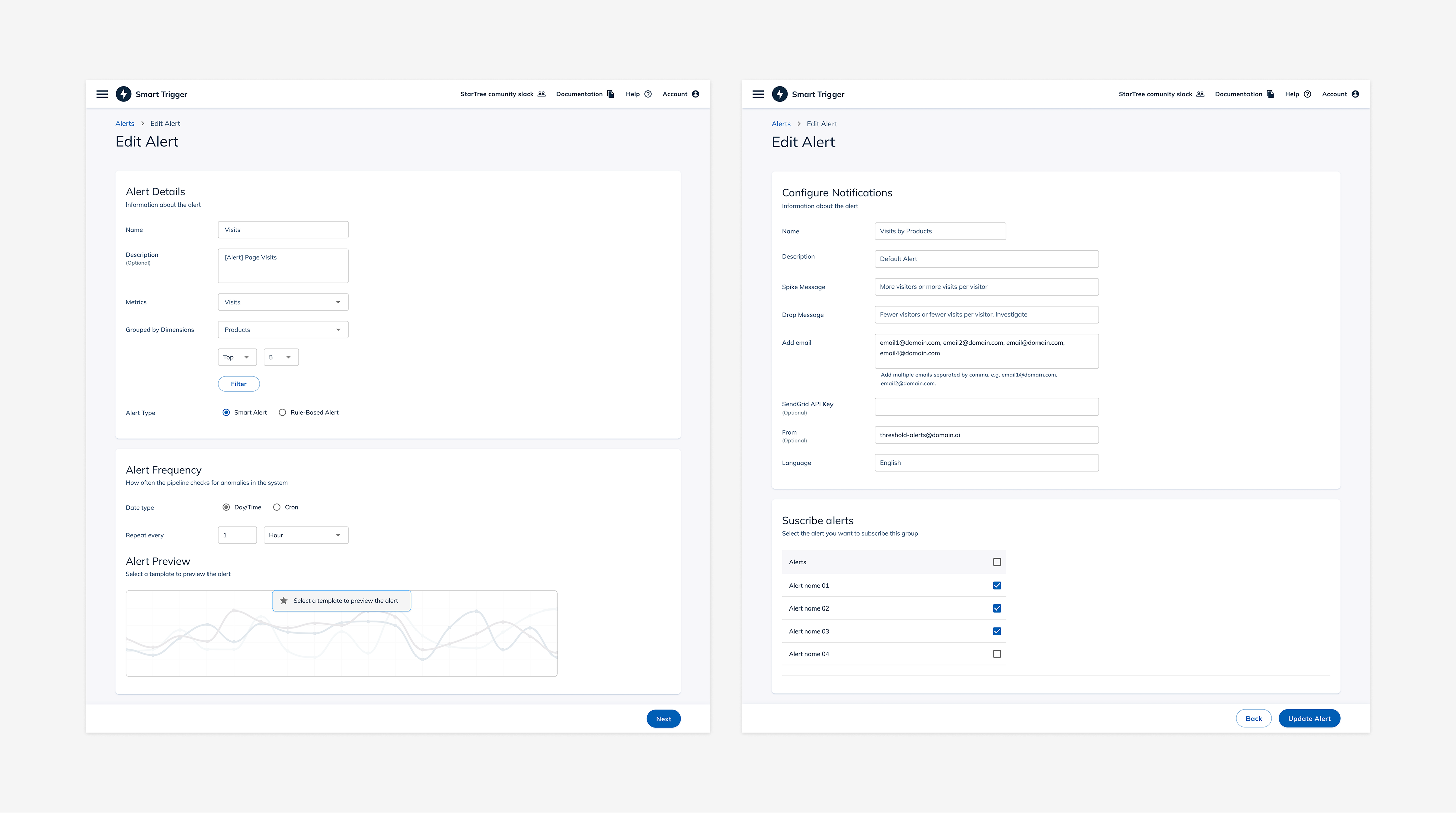
Creating and editing share one form, so nobody rebuilds an alert from scratch to change a single recipient.
The other designer and I worked the whole process together rather than dividing it.
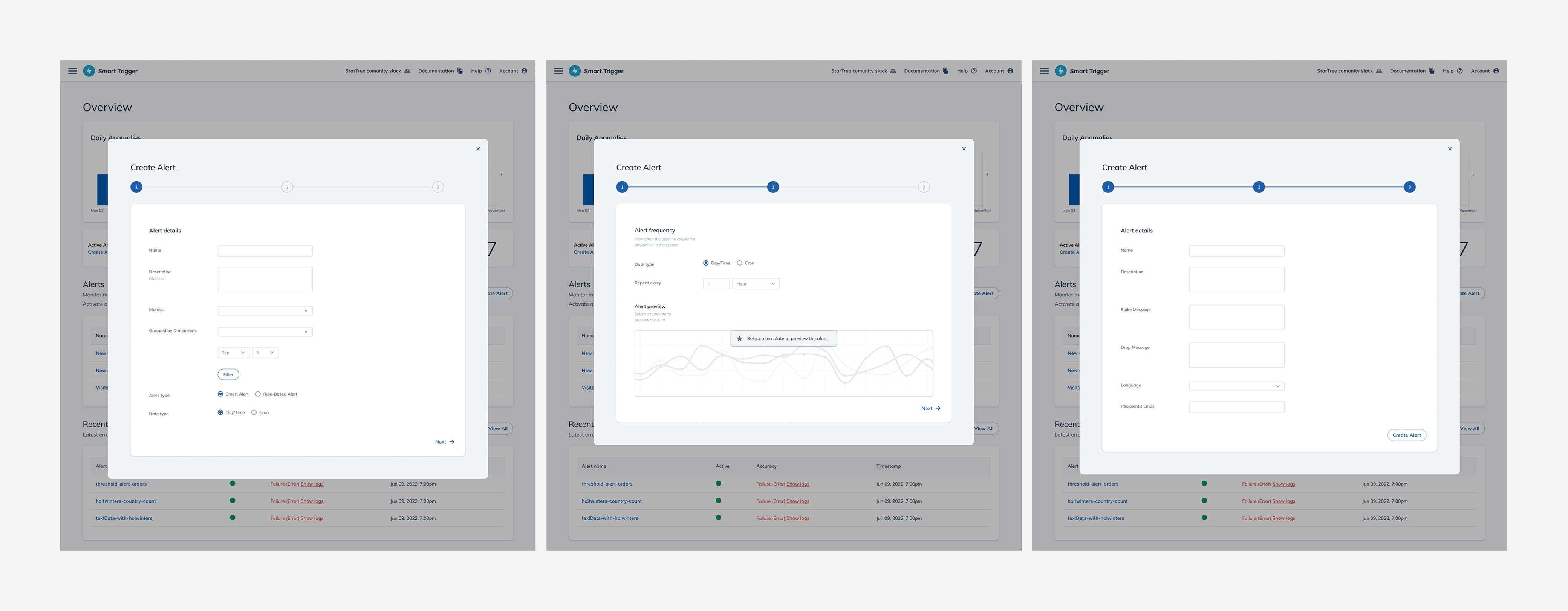
Delivered at week six
We handed off the dashboard, alert creation, notification configuration, the manage-all view, and the individual alert view. StarTree's team told us we had done excellent work, and took it into internal testing. That is where my window on the project closes.
One voice is not validation
I would ask to see the research behind the brief. StarTree had validated the need before we arrived and we took it on faith. Our only tester was the stakeholder who brought us the project, which is one perspective and a sympathetic one.
At the time I believed I understood what we were building. I did not, and I could not yet tell the difference.
What worked was how we operated: questions whenever the product was unclear, and a standing Tuesday meeting that put goals, blockers, and workload on the table for all seven of us. Working well inside limits I did not set is its own skill, and this is where I started learning it.